- Code in One UI 9.5 Beta 1 suggests Samsung is working on Recompose, a Galaxy AI tool in Photo Assist that could let you change a photo’s angle and perspective after you’ve taken it.
- Recompose appears to build a 3D version of your photo on-device using Samsung’s Spatial Core add-on, before Samsung’s cloud generates the final image.
- Recompose is hidden on the Galaxy S26 Ultra for now, and the same code shows Photo Assist’s Style tool switching to a new image model labeled “GPT”.
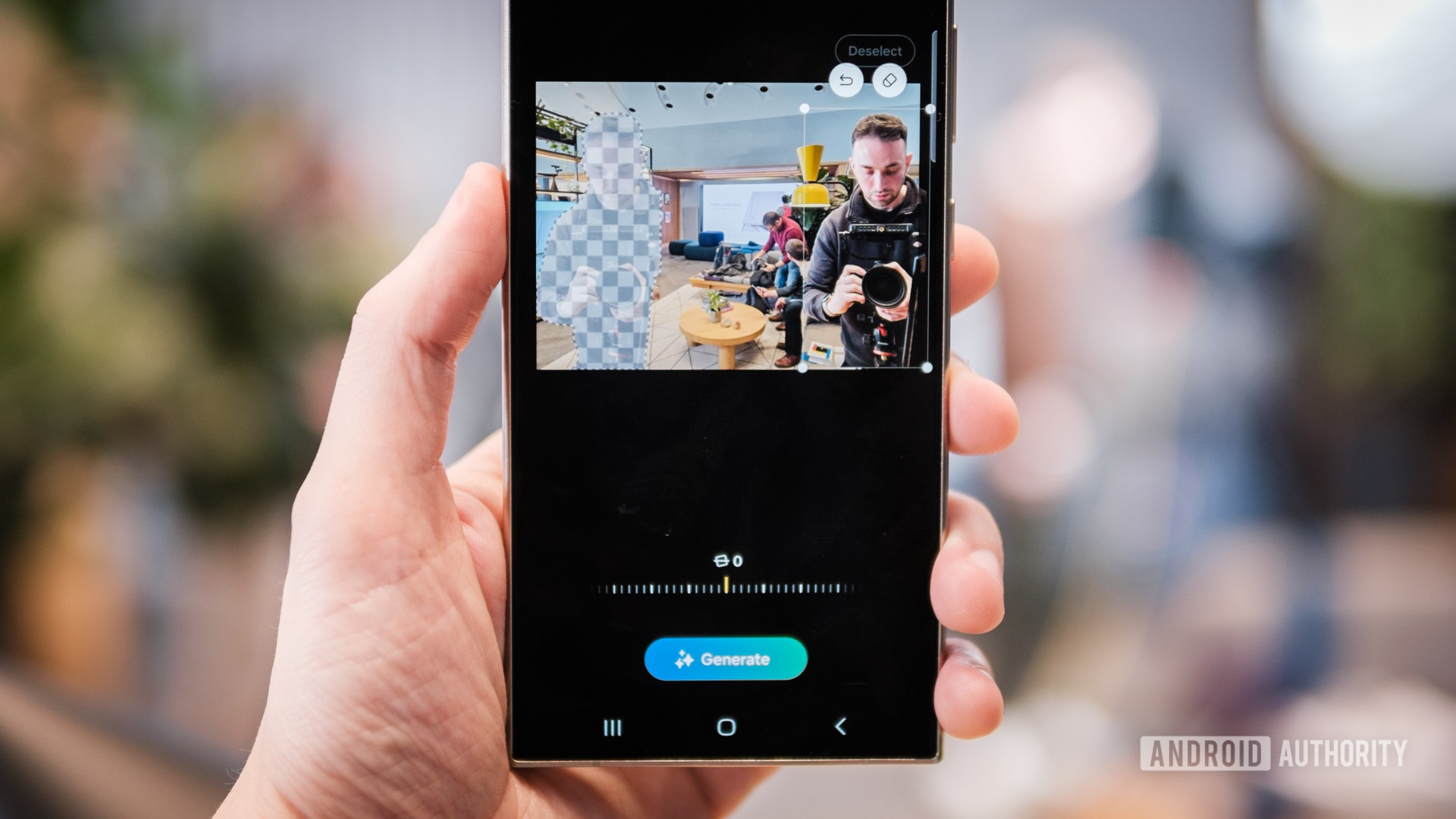
Samsung has been steadily turning its Gallery app into a Galaxy AI photo editor. Photo Assist can already erase objects, move and resize them, expand backgrounds, restyle your shots, and edit them with text prompts. With One UI 9.5, Samsung also added a Live effect tool that turns still photos into 3D wallpapers. Now, code in the One UI 9.5 beta suggests the two ideas are coming together. Samsung appears to be working on a tool called Recompose, which could let you change the angle of a photo after you’ve taken it.
APK teardown: This reporting is based on work-in-progress code. These features may not ship.
Recompose could let you change the angle of your photos
We found Recompose inside Samsung’s Photo Editor app in One UI 9.5 Beta 1 on our Galaxy S26 Ultra. It sits within Photo Assist’s Move tool, which currently only lets you straighten a photo on the S26 Ultra. On supported devices, the Move tool could gain a switch button to toggle between “Move” and “Recompose”, along with a reset button.